- Published on
ChatGPT Voice as a Way to Think Through Software Development Work
- Authors
- Name
- Trillium Smith


This week's experiment: ChatGPT Voice as a way to think through software development work.
I've used voice for software development for years. On a desktop it is great, but away from my regular development workspace it is a bit lacking.
Unless we're working through problems through casual conversation. Then a tool like ChatGPT really shines.
I wasn't trying to make another voice command. I wanted to see whether a voice conversation could become a useful part of the workflow itself.
A couple of weeks ago, I talked through the architecture of Parlay with an AI agent. The back-and-forth worked well for me, and I was able to do the whole thing on a long car ride.
I've been thinking of an idea for a system I want to build. Ask me about it.
Instead of starting with a specification, I could start with a rough idea, answer questions, explore pieces of it, and gradually arrive at something concrete. This worked great, but there wasn't an easy way to get the content out of ChatGPT. Do I give it a directive to give me a Markdown block? Do I make a tool to read the database of the Codex app and mine it from there? (No, don't do this. It doesn't sync fast enough.)
Ultimately, there needed to be a way to get information out of ChatGPT reliably. The answer was obvious: MCP servers. I just tried as many other things as possible first because I don't like paying for features if I don't have to.
A quick perusal of dead ends
One attempt was using ordinary URLs as a tiny communication channel. ChatGPT can fetch a URL I give it, but that wasn't enough to turn URL fetching into the elaborate read/write interface I wanted. I briefly explored whether I could abuse GET requests enough to masquerade as something closer to a POST.
Damn.
An example of the kind of funnel-served URL ChatGPT was hitting. Every route returned a token and instructions, served from the same Tailscale funnel my bridge sits behind (host redacted to an example):
https://macbook.example-tailscale-url.ts.net/mcp
I also experimented with reading the chats that the Codex app syncs locally. I ran the app in dev mode to get Chrome DevTools access and poked around at whether I could build a sidecar that watched the conversation.
The problem was synchronization. It wasn't fast or reliable enough for the kind of back-and-forth I wanted.
The launch and the read were the straightforward parts:
# relaunch the desktop app with a loopback Chrome DevTools port
/Applications/ChatGPT.app/Contents/MacOS/ChatGPT \
  --remote-debugging-address=127.0.0.1 \
  --remote-debugging-port=9222
# the local conversation catalogue the app keeps
sqlite3 -readonly ~/.codex/sqlite/codex-dev.db '
SELECT thread_id, display_title, datetime(source_updated_at, "unixepoch")
FROM local_thread_catalog WHERE source_kind = "chatgpt"'
That experiment is probably another blog post.
The thing that actually worked
I gave ChatGPT an MCP server. More specifically, I gave it tools for accessing the same durable store that my other agents already use.
I use Beads for this. The important part isn't really Beads itself. It's that I have a connected store containing things like projects, tasks, notes, resume information, and inbox items.
Once ChatGPT could query that store, I could tell it to look up the actual thing we were discussing instead of manually feeding the context into the conversation.
My resume was one of the first places this became useful. I could say which experience or bullet I wanted to discuss, tell ChatGPT to query it through the MCP, and then talk through it. If we needed more context, it could fetch the connected information.
That changed the role of the conversation. I could start with a vague idea, query what already existed, talk about it, do some research, and refine it.
Then came the more important part: writing back. Once something became concrete enough that I wanted to keep it, I could explicitly tell ChatGPT to use the MCP to persist it. The chat became a place where I could work something out rather than the place where the resulting information had to live.
The Beads Bridge MCP server is rough. It's built for me. If you truly must use it, go ahead.
The implementation isn't really the thing I wanted to highlight. The fact that this worked is. The Beads Bridge MCP server fronts my local Beads store.
The conversation before the agent
This also gave me an intermediate step that I didn't really have before.
Normally, if I have an idea for something an agent should do, I have to formulate the task well enough to hand it to the agent. Now I can talk about it first.
Sometimes ChatGPT asks questions. Sometimes I tell it to fetch something from the store. Sometimes we discover that what I initially thought I wanted isn't actually the useful part.
Once the idea is sufficiently refined, I tell ChatGPT to create an inbox bead. That bead is durable. Another agent monitors the inbox and can take it from there.
This is the part I've found particularly useful. ChatGPT doesn't need to be the agent doing the work. It can be the thing I talk to before the work is handed off.
Why voice matters here
I tend to scan text quickly, and I have limited patience for reading large amounts of AI-generated prose. Having information spoken back to me makes me pay attention to it differently.
But long audio responses have exactly the same problem. They become mind-numbing too.
What has worked better is keeping ChatGPT in a conversational-partner mode.
I talk.
It asks a short follow-up question.
I answer.
If we need information, I tell it to fetch it.
Then we keep going.
The assistant's job in that mode isn't to constantly summarize what I've said or explain why each thing is important. Those responses interrupt my thought process.
Its job is to ask the question that gets the next piece of information out of me without breaking the thought cycle. Then, at a particular point, I might ask for a summary. And if that summary contains something useful, I can tell it to write it back to the store.
Caveats
There is still some plumbing here. One particularly annoying example: when I change the MCP server's tools, ChatGPT doesn't necessarily know that anything changed.
I have to manually refresh the MCP tool definitions inside ChatGPT from an annoyingly hard-to-find panel containing a refresh button. Here's what to look for:

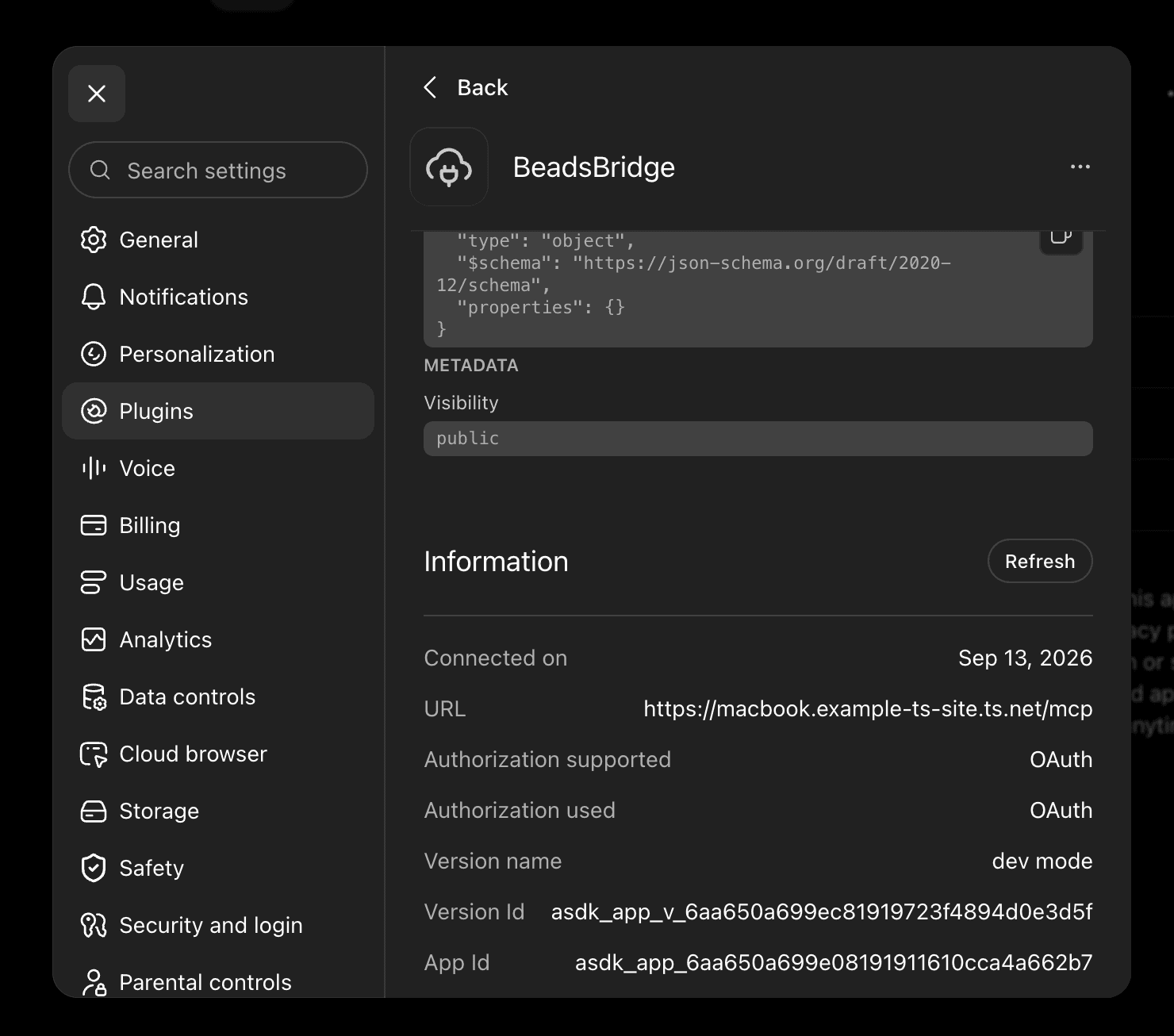

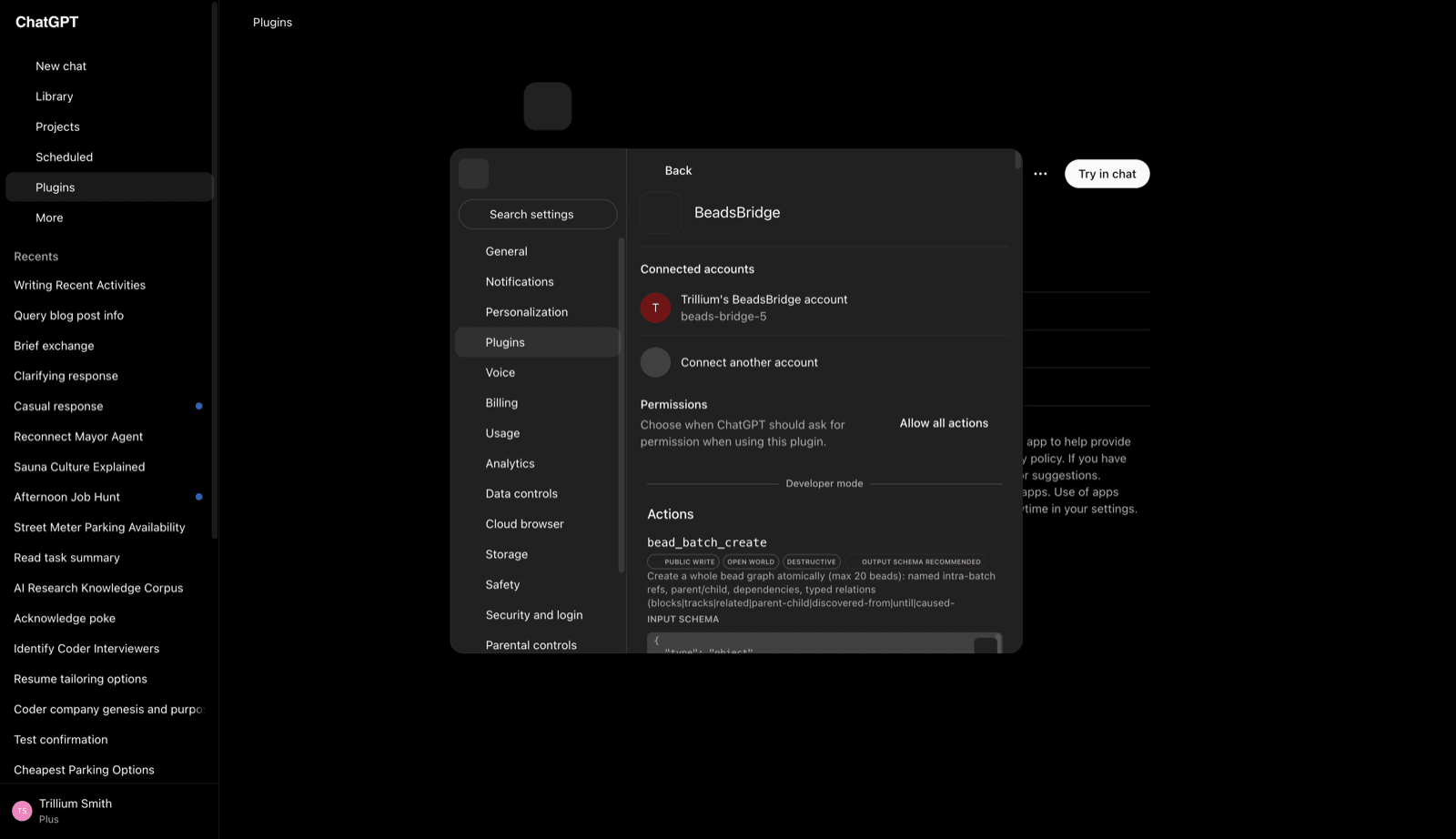
I've lost enough time to stale tool definitions that this is now one of the first things I check when something appears mysteriously broken.
The rest of this is alpha too. The MCP server is built around my workflow, the store is mine, and I've been changing pieces while actively using them.
That's fine. I'm more interested in the interaction pattern than the particular implementation.
What this enables
The interesting part of connecting ChatGPT Voice to MCP wasn't that I could issue commands by voice. I could already issue commands by voice. What I didn't have was a conversational layer between a loosely formed idea and the systems that eventually act on it.
Giving ChatGPT access to the durable store created that layer.
I can start with something incomplete.
We can talk about it.
When we need actual context, I can tell ChatGPT to fetch it.
We can refine the idea against what is actually in the system rather than whatever I happen to remember.
And when we've arrived at something worth keeping, I can tell it to make that result durable.
From there, another agent can act on it.
The conversation doesn't need to contain the entire workflow. It just needs to help me get from the thought I have now to something worth keeping.
That's the part I want to keep experimenting with.
Links
- Talon Voice, the Start of the Journey
- Voice Accessibility: My Journey with Talon Voice and Public Speaking
- Using Talon’s mimic( ) function
- Parlay: Voice-First Agent Orchestration
- Building with AI Agents: A Modern Development Workflow
- Beads
- Model Context Protocol
- Beads Bridge — MCP server fronting my local Beads store.
Schedule a Call
Want to talk through something from this post? Grab time on my calendar.